What Is Better for an iPhone Locked to Owner, a Legitimate Apple ID Recovery or a Paid Bypass Tool That Claims Permanent Removal
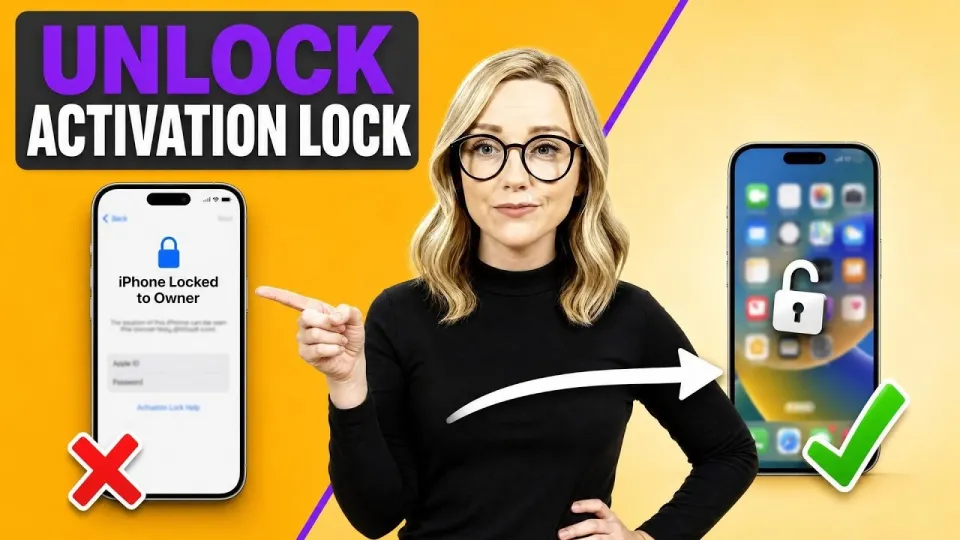
Video: Remove iPhone Locked to Owner Permanently in 2 Minutes without previous info
· based on the channel 4RIL
The permanent way to remove iPhone Locked to Owner is to sign in with the Apple ID that originally activated the device, or to have that owner remove it from their account; anything else is a workaround, not a removal. If you own the phone and control the account, the activation sheet clears in about two minutes with no PC. If you bought a used iPhone that is still tied to a stranger's Apple ID, the honest answer is that the lock cannot be removed permanently without that person's cooperation or Apple's ownership verification.
What the Locked to Owner screen actually tells you
The Locked to Owner screen is Activation Lock, a server-side check that ties the device to the Apple ID used during setup. The screen shows an Email or Phone Number field pre-filled with a masked hint such as j•••@icloud.com or a partially hidden phone number, plus a Password field and a Next button that stays dimmed until the entry looks valid. There is also a link for forgotten credentials and an option to start Activation Lock removal through Apple's ownership verification process.
Read the masked hint character by character and write it down before typing anything. The hidden part is not guessable from the visible characters, and repeated wrong attempts only slow you down. If the hint belongs to an address you no longer use, the path forward is account recovery on Apple's website, not a third-party tool.
Remove iPhone Locked to Owner permanently in the correct order
Work through the steps from the cheapest and most reliable option to the last resort, and stop as soon as the device reaches the home screen.
- Rule out a connection fault. Check for cellular signal, join a known Wi-Fi network, or toggle Airplane Mode on and off, then reload the activation sheet. A weak connection can make a correct password look rejected.
- Read the masked hint in the Email or Phone Number field and note the visible characters, the domain, and the number of hidden characters.
- Type the full Apple ID and password one field at a time, watching the Next button turn from dimmed to solid before tapping it.
- If the password is forgotten, use the Forgot Password link on the sheet or iforgot.apple.com to reset it, then return and sign in.
- If the Apple ID belongs to someone else, ask that person to sign in at iCloud.com, open Find My, select the device, and choose Remove from Account. This is the only remote removal that works permanently.
- If the previous owner is unreachable, submit an Activation Lock support request to Apple with the original proof of purchase, which is the only route Apple accepts for ownership verification.
After the sheet clears, the phone continues through the standard setup screens to the iOS home screen. On a device you legitimately own, that whole sequence can take about two minutes.
Why paid bypass services and fake iCloud removal sites cannot deliver
Any site that promises to delete Activation Lock for a fee, without the Apple ID password and without Apple's involvement, is selling something it does not control. Activation Lock status lives on Apple's servers and is recalculated at every activation, so a local trick, a configuration profile, or a DNS workaround either fails outright or reappears after the next erase, update, or restore. Common red flags are upfront payment, requests for your device serial and IMEI before any proof of service, remote-access apps, and claims of a permanent unlock delivered by email.
There is also a practical risk beyond lost money. Handing a serial number and IMEI to an unknown service can lead to the device being flagged, and installing profiles from such sites exposes the phone to data collection. The video breakdown from the 4RIL channel makes the same point: walk away from anyone who wants money up front for an activation lock bypass or offers to delete the device from a previous owner's account.
Situations where the lock clears quickly and where it does not
A used iPhone, iPad, or Apple Watch bought from a friend or family member usually clears in minutes, because the original owner is one message away and can remove it from Find My while you wait. The same applies to a device you set up yourself years ago and forgot about: account recovery restores access, and the activation sheet accepts the new password immediately.
A device bought second-hand from a stranger, from a marketplace listing, or from a reseller with no receipt is a different case. Without the previous owner's cooperation or Apple's ownership verification, the Locked to Owner screen stays. In that situation the practical options are returning the device, filing a claim with the marketplace, or requesting a refund, not hunting for a bypass. Before buying any used iPhone, ask the seller to sign out of iCloud and turn off Find My in front of you, then confirm the device reaches the home screen.
Checking ownership before you pay for a used device
A two-minute check before money changes hands prevents the entire problem. Ask the seller to open Settings, tap the Apple ID banner, scroll to the bottom, and sign out with their password, which also disables Activation Lock. Then erase the device through Settings, General, Transfer or Reset iPhone, and confirm it boots to the Hello screen with no Locked to Owner prompt. If the seller cannot sign out, the device is still tied to an account and should not be purchased.
For a device already in your hands, the same logic applies in reverse: the account that appears in the masked hint is the only one that can release it. Write the hint down, compare it with accounts you control, and pursue recovery for the matching one before considering anything else.
Summary
Permanent removal of iPhone Locked to Owner comes down to one thing: control of the Apple ID that activated the device, or Apple's approval through ownership verification with proof of purchase. Reading the masked hint carefully, checking the connection, and typing credentials one field at a time clears the activation sheet in about two minutes when the account is yours. Paid bypass tools and fake iCloud removal sites cannot delete a server-side lock, and they cost money while leaving the device exactly as locked as before. The step-by-step walkthrough in the video from the 4RIL channel shows the same sequence on screen, from the masked hint to the iOS home screen.
Key takeaways
- The Activation Lock screen can be cleared in about two minutes only when the correct Apple ID credentials are entered in the Email or Phone Number and Password fields.
- The masked hint on the Locked to Owner screen hides part of the Apple ID or phone number and must be read slowly and written down, not guessed.
- A dimmed Next button stays inactive until both fields are filled correctly; it turns solid when the entry is valid.
- No legitimate service can delete Activation Lock from a device that is not signed in to the owner's Apple ID; Apple ID recovery is the only permanent route.
- Connection problems can mimic a failed unlock, so check signal, join Wi-Fi, or toggle Airplane Mode before retyping credentials.
Questions & answers
Can Activation Lock be removed permanently without the previous owner's Apple ID?
Only through Apple's Activation Lock support request, which requires proof of purchase such as the original receipt showing the device serial number. No third-party tool can delete the lock from Apple's servers, so any service claiming otherwise is not delivering a permanent removal.
How long does it take to get past the Locked to Owner screen if I know the password?
Usually about two minutes. Enter the Apple ID and password in the two fields on the activation sheet, wait for the dimmed Next button to turn solid, and tap it; the device then continues through setup to the iOS home screen.
What should I do if I cannot read the masked email hint?
Write down the visible characters, the domain, and the number of hidden characters, then compare that pattern against the Apple IDs and phone numbers you control. If nothing matches, use the Forgot Password link or iforgot.apple.com to recover the account rather than guessing.
Is a used iPhone with Activation Lock still on worth buying?
No. Ask the seller to sign out of iCloud and turn off Find My in front of you, then erase the device and confirm it reaches the Hello screen without a Locked to Owner prompt. If the seller cannot sign out, the device remains tied to their account and should be returned or refunded.
Source: Remove iPhone Locked to Owner Permanently in 2 Minutes without previous info · Markdown version